
Neovim

Follow these steps to start tracking your coding time in Neovim with Hackatime. The screenshots show Neovim in Ghostty on macOS, but the steps are the same in any terminal on Linux and Windows.
Step 1: Log into Hackatime
Make sure you have a Hackatime account and are logged in.
Step 2: Run the setup script
Visit the setup page to automatically configure your API key and endpoint. This ensures everything works perfectly with Hackatime.
Step 3: Install the WakaTime plugin
Hackatime works with the official vim-wakatime plugin. If you use lazy.nvim, add it to your plugin list:
{ "wakatime/vim-wakatime", lazy = false },Keep lazy = false so the plugin starts with Neovim, even if your config lazy-loads plugins by default. If your config loads plugins from lua/plugins/, you can put it in its own file instead:
return {
  { "wakatime/vim-wakatime", lazy = false },
}
On Neovim 0.12 or newer you can use the built-in plugin manager instead. Add this to your init.lua:
vim.pack.add({ "https://github.com/wakatime/vim-wakatime" })Step 4: Restart Neovim
Close Neovim and open it again. Both lazy.nvim and vim.pack install the plugin when Neovim starts. With lazy.nvim, run :Lazy to check that vim-wakatime is listed under Loaded.
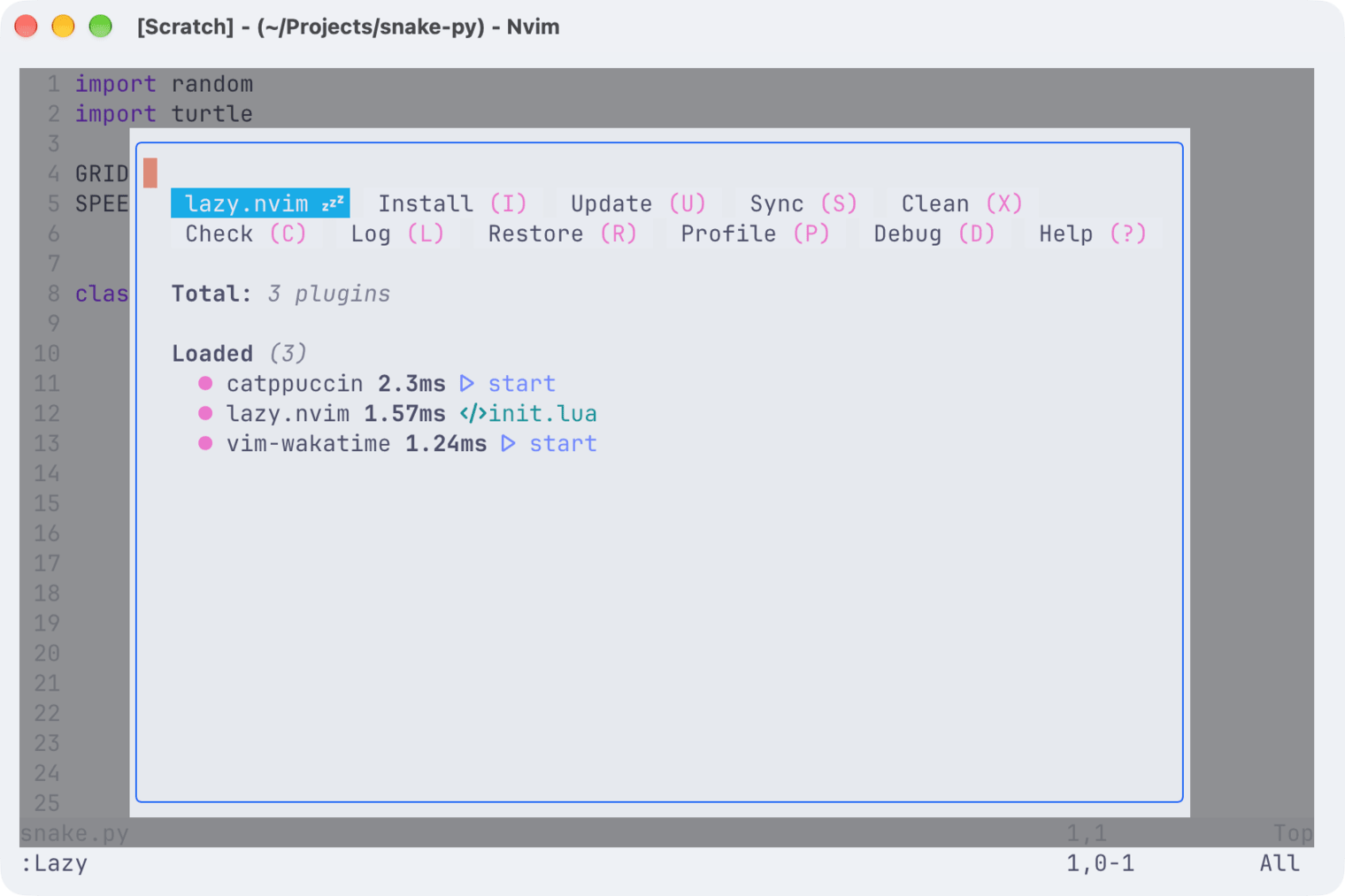
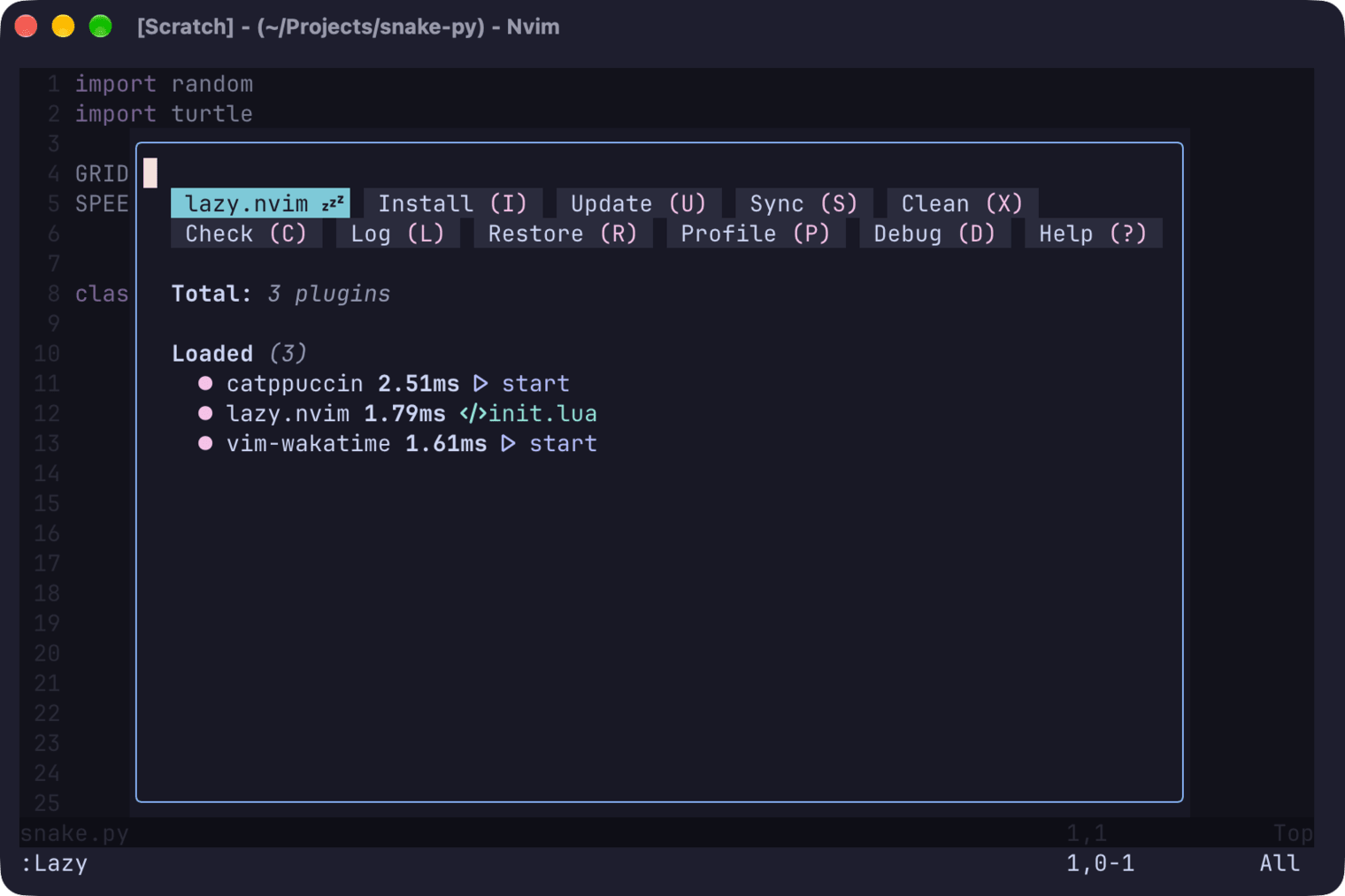
The plugin downloads wakatime-cli the first time it runs and reads your API key and Hackatime’s server address from the setup script. If you skipped Step 2, open ~/.wakatime.cfg (%USERPROFILE%\.wakatime.cfg on Windows) in a text editor and add both. Use the API key from your Hackatime settings:
[settings]
api_url = https://hackatime.hackclub.com/api/hackatime/v1
api_key = YOUR_API_KEY
heartbeat_rate_limit_seconds = 30
Without api_url, your time is sent to WakaTime instead of Hackatime. Plugin settings lists the other options. :WakaTimeApiKey only changes the key, not the server address.
Step 5: Check that it’s running
Edit and save a file, then run :WakaTimeToday. Your coding time for today appears at the bottom of the window.
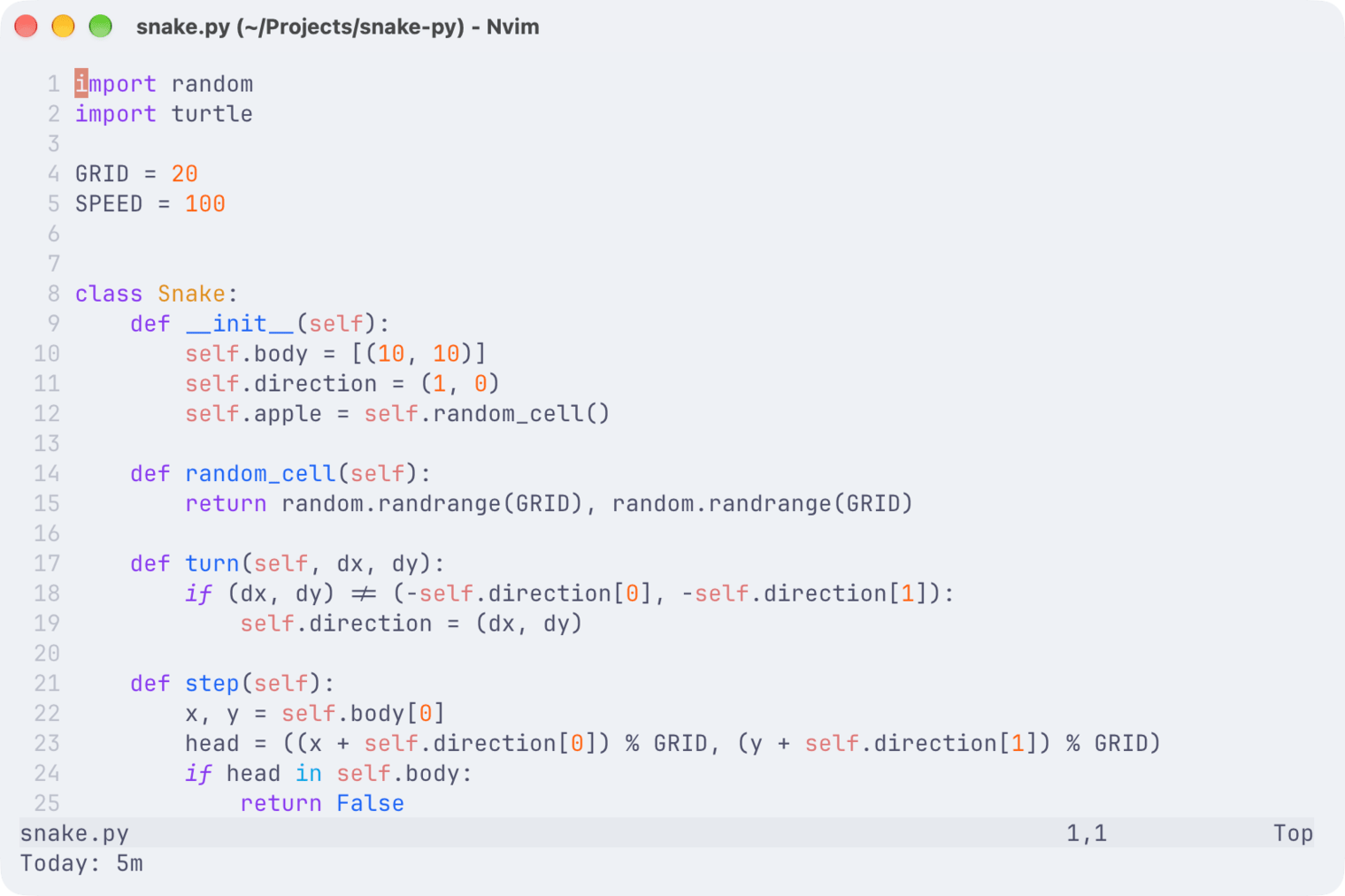
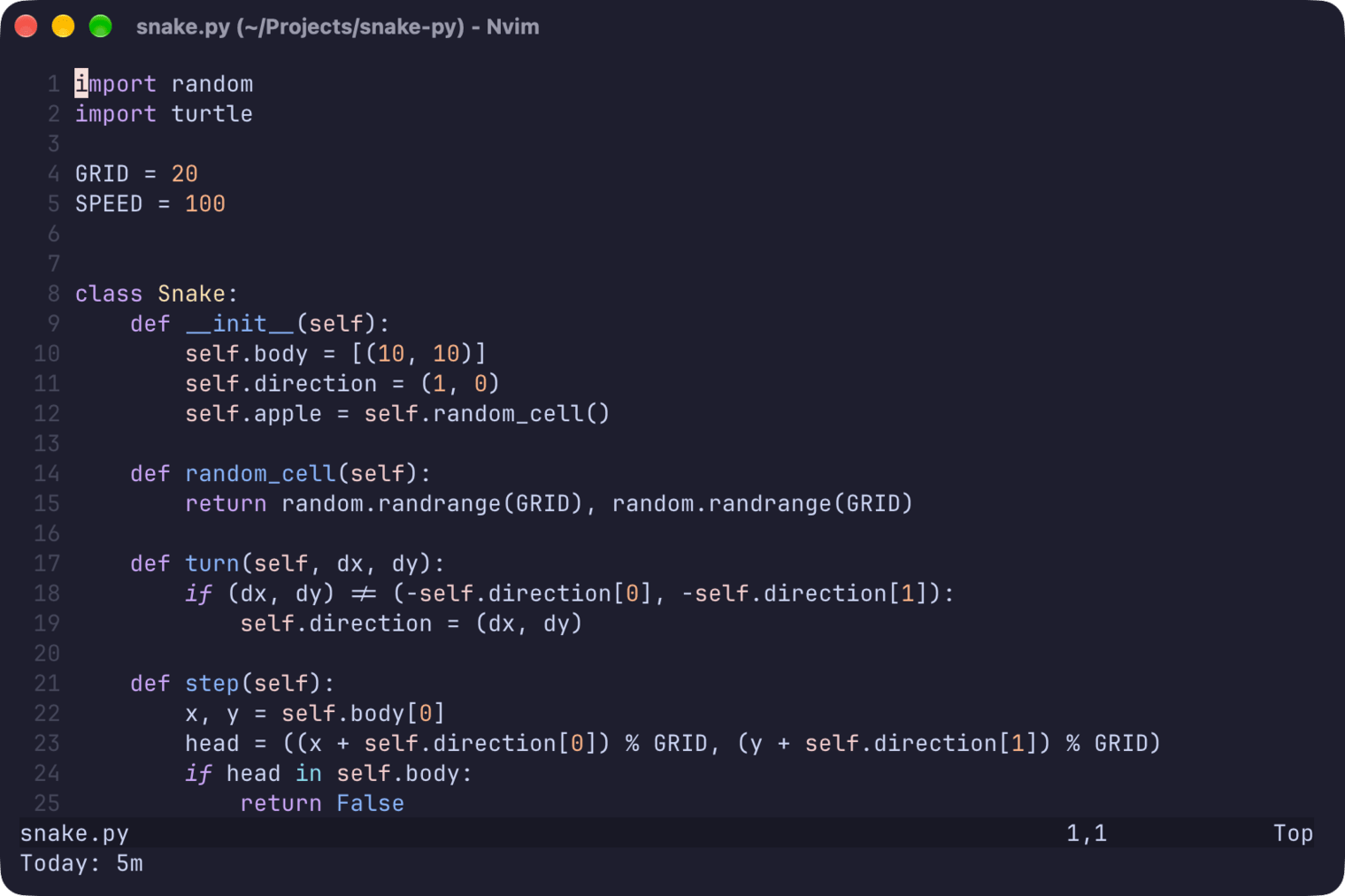
Your time will also appear on your Hackatime dashboard within a few minutes.
What gets tracked
Neovim sends a heartbeat when you open or switch to a file, while you edit it or move the cursor (at most once every two minutes for the same file) and every time you save. Your project, branch, language, line and cursor position come along with it. Help pages, terminals and other buffers that aren’t files aren’t tracked.
Files outside a git repository are still tracked, but Neovim can’t tell which project they belong to. That time counts towards your total but isn’t attached to any project. Run git init in the project folder or add a .wakatime-project file to give that time a project.
Troubleshooting
- Not seeing your time? Make sure you completed the setup page first, or that
~/.wakatime.cfghas bothapi_urlandapi_keyfrom Step 4. Then edit a file. Heartbeats can take a few minutes to show up. - Time missing from your projects? The file isn’t in a git repository. See What gets tracked.
:WakaTimeTodayisn’t a command? The plugin isn’t loaded. Check thatlazy = falseis set and run:Lazyto see whether it installed.- Something else? Run
:WakaTimeDebugEnable, edit a file and read the messages with:messages. Run:WakaTimeDebugDisablewhen you’re done. - Still stuck? Ask for help in Hack Club Slack (#hackatime-help channel).
Next steps
Once configured, your coding time will automatically appear on your Hackatime dashboard. Happy coding!